
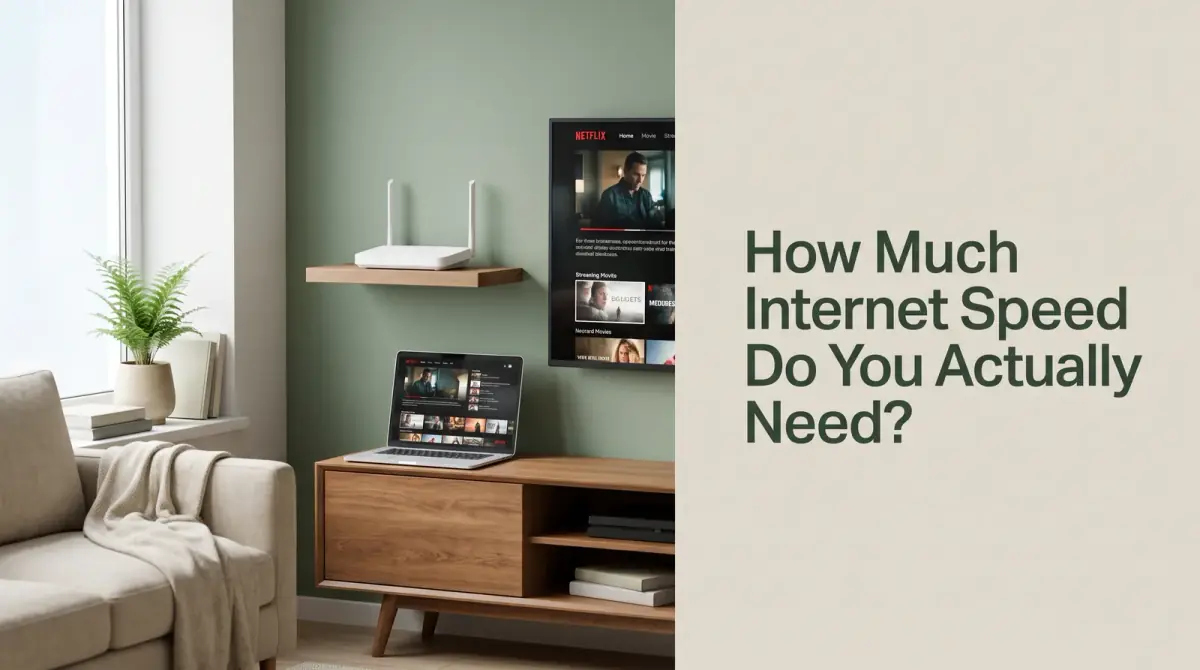
The short answer
Paying for internet speed you never use is common. Learn how much internet speed you really need for streaming, gaming, and working from home, so you stop overpaying.
- Light users need far less speed than the plans marketed to them.
- Streaming quality, not web browsing, drives most speed needs.
- More people and devices at once means more speed required.
- Upload speed matters for calls, uploads, and working from home.
- Match the plan to your real habits, then leave a little room.
Most households need somewhere between 100 and 300 Mbps, and one person living alone is usually well served by 50 to 100 Mbps. The honest answer to how much internet speed you need is almost always less than the plan you are being sold, because the figure that matters is your busiest ten minutes of the evening, not the headline number on the advert.
The good news is that this is arithmetic, not guesswork. Every activity has a published bandwidth requirement, and once you add up the ones that genuinely run at the same time, the right plan becomes obvious.
- Light users need far less speed than the plans marketed to them.
- Streaming quality, not web browsing, drives most speed needs.
- More people and devices at once means more speed required.
- Upload speed matters for calls, uploads, and working from home.
- Match the plan to your real habits, then leave a little room.
What internet speed do I need? The short answer
If you want a number before you read anything else, here are the ranges that suit most homes. They already include a cushion for the moments when everyone is online at once.
- One light user who browses, emails, and watches one HD stream: 25 to 50 Mbps.
- One or two people with streaming, calls, and a few smart devices: 50 to 100 Mbps.
- A family of four with 4K streaming, homework, and gaming: 200 to 300 Mbps.
- A share house or heavy household with several 4K streams and big downloads: 400 to 500 Mbps or more.
Notice how far those sit below the gigabit plans that get the loudest marketing. A gigabit line earns its price if you move very large files daily, but for ordinary streaming it spends most of its life idle.
How many Mbps do I need for each activity
The cleanest way to size a connection is to look at what each activity consumes. These are the requirements published by streaming platforms, consoles, and calling apps, so they are the same figures the software uses when it decides what quality to serve you.
- Browsing and email: 1 to 5 Mbps, since pages load in short bursts.
- Music streaming: around 1 to 2 Mbps, even at high quality.
- Standard-definition video: around 3 Mbps per stream.
- HD video at 720p: around 5 Mbps per stream.
- Full HD video at 1080p: around 8 Mbps per stream.
- 4K video: around 25 Mbps per stream, the single biggest demand in most homes.
- One-to-one video call in HD: roughly 2 to 4 Mbps down and a similar amount up.
- Group video call in HD: roughly 4 Mbps down and 3 Mbps up.
- Online gaming while playing: 3 to 6 Mbps down and about 1 Mbps up.
- Working from home: 10 to 25 Mbps covers calls, shared documents, and remote desktop together.
- Large downloads and cloud backup: no fixed requirement, because they simply use whatever is spare.
Streaming is what really sets the number
A single 4K stream needs more bandwidth than everything else on this list combined. Two at once put you near 50 Mbps before anyone has opened a browser tab, which is why 4K households need a very different plan.
If nobody in your home watches in 4K, cross the biggest number off the list. Many people pay for a 4K-capable plan and then watch on phones and laptops that never request more than 1080p.
Gaming needs less speed than people assume
Playing an online game uses a surprisingly small trickle of data, because it sends positions and inputs rather than video. What gaming demands is a connection that never wobbles, which is separate from raw Mbps.
Game downloads are the exception, and where a fast line pays for itself. A 100 GB title takes roughly two and a half hours on 100 Mbps, and most of a day on 25 Mbps.
Downloads and backups fill whatever you give them
Software updates, cloud backups, and photo syncing have no minimum requirement and simply take whatever capacity they can find. That is why a backup makes everything else feel slow even on a fast plan, and why scheduling them overnight solves more problems than upgrading does.
How much internet speed do I need by household size
Once you know the per-activity figures, sizing by household means adding up the peak. Do not average across the day, because nobody experiences the average. Add up what happens at eight in the evening.
- One person: one HD or 4K stream plus a phone and a laptop rarely exceeds 40 Mbps. A 50 to 100 Mbps plan leaves plenty of room and costs far less than the top tier.
- Two people: assume two streams, a call, and background devices. That is roughly 40 to 60 Mbps of real demand, so 100 Mbps is comfortable.
- Family of four: two 4K streams at 25 Mbps each, a video call, a game, and a dozen background devices lands near 80 to 100 Mbps of genuine use. A 200 to 300 Mbps plan absorbs that peak without anyone noticing.
- Share house with heavy users: four independent streams, frequent large downloads, and several people working from home can push past 150 Mbps at peak. This is the one household type where 500 Mbps or a gigabit line is genuinely justified.
Smart-home gadgets deserve a mention because there are usually more of them than people realise. Cameras, speakers, doorbells, and thermostats each use very little, but together they create a background load that never switches off.
How much download speed do I need, and why upload matters more than you think
Download speed is what almost every advert quotes, and it governs streaming and browsing. For most homes the ranges above are the whole answer, and anything beyond them is headroom rather than necessity.
Upload is the quieter number and matters far more than it used to. It governs how you appear on a video call, how quickly a cloud backup finishes, how fast photos sync, and whether a broadcast holds its quality.
A rough guide is that 10 Mbps of upload comfortably handles a couple of simultaneous video calls, 20 Mbps covers a household where several people work from home, and anything above that is only needed if you regularly push large files or broadcast video.
Connection type matters more than plan tier here. Cable and DSL are asymmetric, so a 500 Mbps download plan may carry only 20 or 30 Mbps of upload, while full fibre is usually symmetric. If calls stutter while downloads fly, upload is the reason, and a bigger download tier will not fix it.
What Mbps actually measures, and the megabit trap
Internet speed is measured in megabits per second, which describes how much data can move each second. Think of Mbps as the width of a road rather than a speed limit: a wider road lets more cars travel side by side, so more devices can stream together without a jam.
The trap that catches almost everyone is megabits versus megabytes. Speeds are quoted in megabits, file sizes are shown in megabytes, and there are eight bits in a byte. A 100 Mbps connection therefore downloads at about 12.5 megabytes per second at best.
Why the advertised speed is not the speed you get
The number on your bill describes the line arriving at your property, not the speed reaching the device in your hand. Several things sit in between, and each of them can quietly take a large bite.
Wi-Fi is the biggest culprit. A wired connection delivers close to the full line speed, while Wi-Fi loses ground with every wall and metre of distance. The 2.4 GHz band travels further but is slower and more congested, and 5 GHz is much faster but struggles through solid walls.
Router age matters just as much. A router built for the Wi-Fi 4 era will often cap real-world throughput around 50 to 100 Mbps no matter what you pay for, so a 500 Mbps plan behind an old router simply cannot arrive. Many providers supply hardware that is several years behind the plans they sell.
The device can be the limit too. Older laptops, cheap smart TVs, and budget streaming sticks often have 100 Mbps ethernet ports or single-band Wi-Fi radios, which caps them near 94 Mbps whatever you buy.
Finally there is contention. Cable and other shared technologies split capacity across your area, so speeds dip in the evening when the whole street is streaming. That is a design characteristic, not a fault.
Latency and jitter matter more than speed for calls and gaming
Bandwidth is how much data moves at once. Latency is how long a single piece of data takes to make the round trip, measured in milliseconds, and it is a completely independent quality. You can have a very fast connection with poor latency and it will feel terrible.
Under 20 milliseconds is excellent, 20 to 50 is good, and anything past 100 becomes noticeable as lag in a game or an awkward pause in a conversation. Satellite connections illustrate the point perfectly, because they can offer high Mbps while latency makes fast-paced gaming impractical.
Jitter is the variation in that latency from moment to moment. Steady latency of 60 milliseconds feels smooth, while latency bouncing between 20 and 200 produces the freezes, robotic voices, and rubber-banding that people wrongly blame on speed. Keeping jitter low is the single best thing you can do for calls and gaming.
How to test your actual internet speed properly
A speed test is only useful if it isolates the line from everything else. A careless test tells you about your Wi-Fi or your laptop rather than your plan.
- Plug a computer into the router with an ethernet cable if you can, which removes Wi-Fi from the equation.
- Pause downloads, backups, and streams on every device in the house.
- Run the test at a quiet time such as mid-morning, then again at nine in the evening. The gap between the two results reveals peak-hour contention.
- Record download, upload, latency, and jitter, not just the headline figure.
- Repeat the test over Wi-Fi in the rooms where you actually use the internet, and compare those results with the wired figure.
Compare the wired result against the speed your provider advertises. Most quote an average or a minimum guaranteed speed rather than a maximum, and falling consistently below that guarantee is grounds for a fix or a discount.
The gap between the wired and Wi-Fi results is the more revealing number. If the line gives 300 Mbps at the router but 40 Mbps in the bedroom, your problem is coverage, and a bigger plan changes nothing there.
When paying for more speed genuinely will not help
This section saves the most money, because most slow-internet complaints are not bandwidth problems at all. Upgrading is the easiest thing to sell you and often the least likely thing to work.
More speed will not help if your wired test already meets your plan. The line is doing its job, so the money belongs in a mesh system, a better router, or an ethernet cable to the room that matters.
It will not help with lag in games or stuttering calls either, because those are latency and jitter problems, and doubling bandwidth leaves round-trip time essentially unchanged.
It will not help when one device is the limit. An older phone, a smart TV with an ageing Wi-Fi chip, or a laptop with a 100 Mbps port returns the same result on a gigabit plan as on a 100 Mbps plan. Nor will it help when a single website or app is slow while everything else is fine, because that problem sits at their end.
Most of all, it will not help if you never reach your current limit. Many routers can show total throughput, and households often find their peak is a fraction of what they pay for. Buying above your peak is buying road that no cars will use.
How to decide what to actually buy
Work from your habits rather than the marketing tiers. The question is not how fast can I go, but what internet speed do I need for the way I actually live.
- List everything that runs simultaneously at your busiest moment, then add up the per-activity figures above.
- Add roughly fifty per cent as headroom, because real connections rarely deliver their theoretical maximum.
- Check the upload figure separately if anyone works from home or backs up to the cloud.
- Confirm your router can actually deliver the tier you are considering before you pay for it.
- Choose the cheapest plan that clears the total, then retest after a month and adjust.
Be wary of long contracts sold on a speed you have not verified you need. Providers often discount a mid-tier plan to nearly the entry price, and that is usually the sweet spot. The top tier is priced for people who never do the arithmetic.
Signs your current plan is wrong for you
Your connection tells you the answer if you watch it at peak times. Constant buffering when several people are online, or streams dropping quality every evening, means you have genuinely outgrown the plan. The opposite signal counts too: a top tier that never once struggles is capacity you have never touched.
The common case is the ambiguous one, where speeds are fine near the router and poor elsewhere. That is coverage, not capacity, and it deserves a mesh node rather than a bigger bill every month for two years.
The bottom line
How much internet speed you need comes down to three things: how many people share the line, how much you stream in high quality, and how much you upload. Most homes land between 100 and 300 Mbps, and the ones that genuinely need more know exactly why.
Before you upgrade, run a wired speed test, check your latency, and look honestly at your router. If the line already delivers what you pay for, the bottleneck is inside your house, and fixing that is cheaper than any plan you can buy.
Comments
0 total