
The short answer
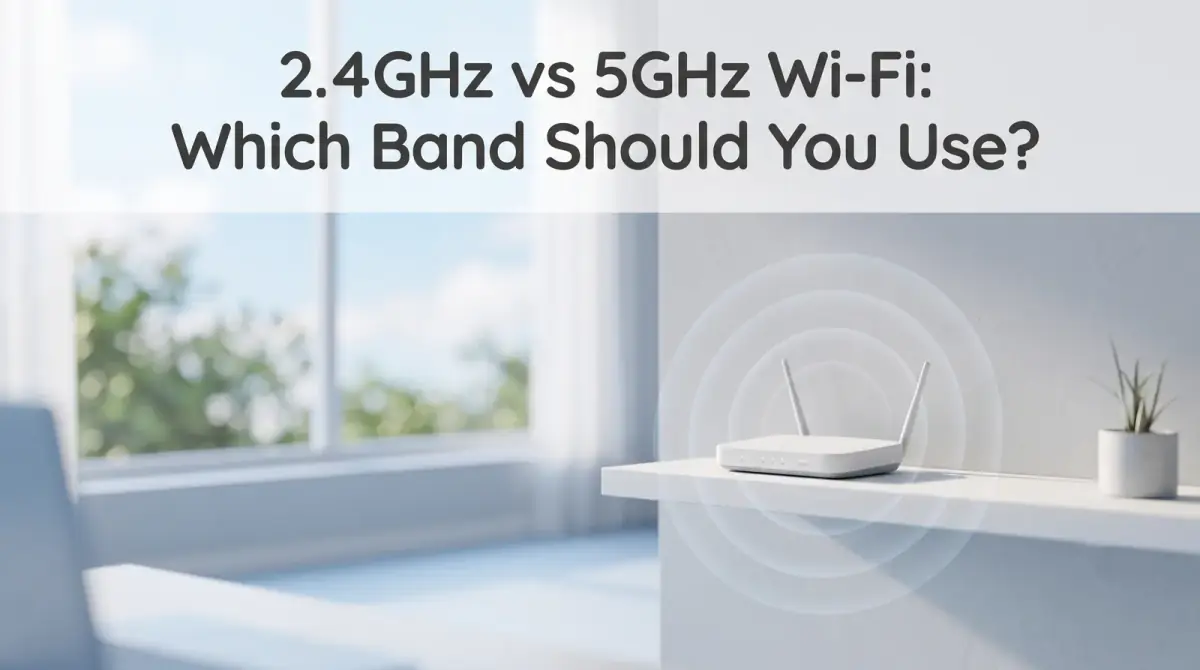
One Wi-Fi band reaches farther, the other is faster. Here is the real difference between 2.4GHz vs 5GHz and which band to use in each room of your home.
- 2.4GHz reaches farther and handles walls better, but is slower and more crowded.
- 5GHz is much faster, but its range is shorter and weaker through obstacles.
- Use 5GHz near the router for speed; use 2.4GHz for distance and reliability.
- Most routers run both bands, so match each device to its situation.
- Distance, walls, and interference matter more than the numbers alone.
The core of 2.4GHz vs 5GHz comes down to a simple trade-off: the 2.4GHz band travels farther and passes through walls more easily, while the 5GHz band is faster but fades over shorter distances. Neither one is better overall. The right choice depends on how far the device sits from the router and how much speed it actually needs.
Most modern routers broadcast both bands at once, so you are rarely picking one forever. You are matching each device to the band that suits where it lives.
Here is the short version before we dig in:
- 2.4GHz reaches farther and handles walls better, but is slower and more crowded.
- 5GHz is much faster, but its range is shorter and weaker through obstacles.
- Use 5GHz near the router for speed; use 2.4GHz for distance and reliability.
- Most routers run both bands, so match each device to its situation.
- Distance, walls, and interference matter more than the numbers alone.
What 2.4GHz vs 5GHz really means
The numbers refer to the radio frequency each band uses to carry your data. That single difference in frequency drives everything else about how the two bands behave.
Lower frequencies, like 2.4GHz, produce longer radio waves that travel farther and bend around obstacles more easily. Higher frequencies, like 5GHz, produce shorter waves that carry more data quickly but lose strength faster and struggle to punch through solid walls.
So the frequency is not a quality rating. It is a physical property, and it explains why a distant room and a nearby desk call for different bands.
5GHz vs 2.4GHz range and speed
When people compare 5GHz vs 2.4GHz range, the pattern is consistent. The 2.4GHz band keeps a usable signal across a larger area and through more walls, which makes it dependable in far corners of a home. The 5GHz band delivers noticeably higher speeds, but that advantage shrinks the moment you add distance or obstacles.
Speed follows the opposite curve. Close to the router, 5GHz can be several times faster than 2.4GHz, which is ideal for demanding tasks. Move a few rooms away, though, and 5GHz can drop below 2.4GHz because its signal weakens so quickly.
In short, 2.4GHz trades speed for reach, and 5GHz trades reach for speed. Knowing that lets you place devices intentionally instead of guessing.
Why 2.4GHz gets crowded
Range is not the only factor, because the 2.4GHz band is also busier. It has fewer usable channels and is shared by a lot of common household gadgets.
Older devices, some smart-home products, wireless peripherals, and even microwaves and cordless phones can all sit near the 2.4GHz range. In a dense apartment building, your neighbors' networks pile on too. All that traffic competes for the same airspace, which can cause slowdowns and dropouts even when the signal looks strong.
The 5GHz band offers more channels and less competition, so it often feels cleaner and more stable when you are within its range. That extra breathing room is a real advantage in crowded areas.
Which Wi-Fi band to use in each room
Deciding which Wi-Fi band to use gets easier when you think room by room rather than device by device. Ask two questions for each spot: how far is it from the router, and how much speed does it need?
Near the router
For devices in the same room or one wall away, choose 5GHz. The short distance keeps the signal strong, and you get the full speed benefit. This suits streaming in 4K, video calls, gaming, and large downloads.
Far from the router
For a bedroom at the other end of the house, a garage, or an upstairs corner, 2.4GHz is usually the safer pick. Its longer reach keeps a steady connection where 5GHz would fade or drop, even if the top speed is lower.
Devices that move around
Phones and laptops wander between both zones. Many handle this automatically, but if one keeps stalling in a far room, manually pointing it at 2.4GHz there can help.
How dual band Wi-Fi handles both
Most routers today are dual band Wi-Fi, meaning they broadcast 2.4GHz and 5GHz at the same time. That is what lets you enjoy the strengths of each without choosing just one for the whole home.
Some routers give the two bands separate network names, so you can connect each device to the band you want. Others use a single name and quietly steer devices to whichever band looks best at that moment, a feature often called band steering.
Both approaches work. Separate names give you manual control, while a single name keeps things simple. If you like tuning your setup, separate names make it easy to place each device deliberately.
How to tell which band a device is using
If your router uses one network name, you may not see which band a device landed on. A few practical clues can help you sort it out.
- Check the router's admin page or companion app, which usually lists connected devices and their band.
- If the bands have separate names, the connected network name tells you directly.
- A speed test near the router versus in a far room reveals which band is carrying the load.
- Frequent drops in a distant room often mean a device is clinging to 5GHz when it should use 2.4GHz.
Once you can see what is happening, small adjustments become obvious. Sometimes reconnecting a stubborn device to the right band fixes a problem that felt mysterious.
Simple ways to get the best of both
You do not need to obsess over settings to benefit from both bands. A few habits cover most homes.
Put the router in a central, open spot rather than tucked inside a cabinet, since placement affects both bands. Use 5GHz for the devices that sit close and need speed, and lean on 2.4GHz for the far, low-demand ones. If a particular room is always weak, that is a sign the signal is stretched thin there, and an extender or mesh unit may serve it better than either band alone.
For example, a smart doorbell or a distant sensor rarely needs speed, so 2.4GHz keeps it reliably online. Meanwhile your desk, close to the router, gets 5GHz for the fast, steady connection heavy tasks demand.
The bottom line
The 2.4GHz vs 5GHz choice is really about matching each device to distance and need. Reach for 5GHz when speed matters and the device is close, and fall back on 2.4GHz when range and reliability come first. Because most routers run both, you can place your devices thoughtfully and let each band do the job it is built for.


Comments
0 total