
The short answer
How QR codes and barcodes actually differ, why offline scanning matters in warehouses and basements, and where bulk scanning and scan history save real time.
- Warehouses and stockrooms. Steel racking, concrete, and metal roofing block mobile signal. The aisle you need is usually the worst-covered spot in the building.
- Basements and cellars. Pub cellars, plant rooms, and archive stores are underground and full of things worth labelling.
- Older shops and thick-walled buildings. Stone or reinforced walls kill reception a metre inside the door.
- Vans, lock-ups, and yards. Deliveries and site inventories rarely happen in good coverage.
- Abroad, or on a capped plan. With roaming off, an app that needs a server round trip is simply broken.
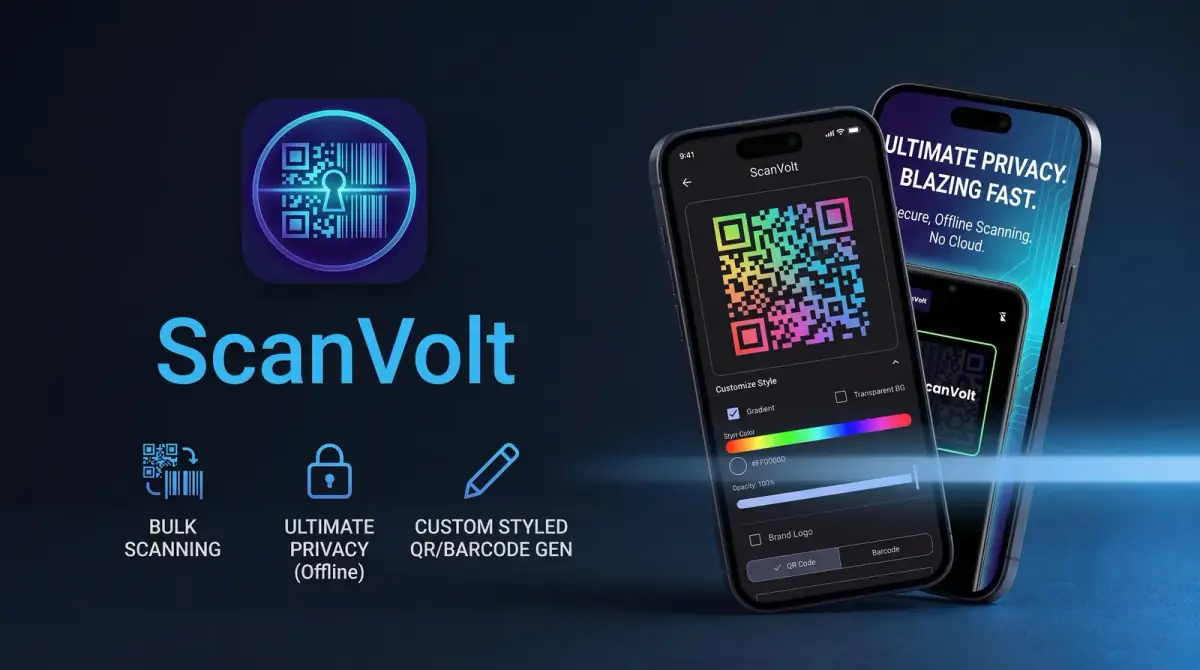
If you want a free QR code scanner for Android that also reads barcodes, works without a signal, and remembers what you scanned, look for one that stores its history locally and does not need the internet to decode. One option is ScanVolt: QR Barcode Generate on Google Play: Android-only, free, and built to do exactly that.
Disclosure: I built ScanVolt, so I am recommending my own app. Everything below about how QR codes and barcodes work applies whichever scanner you use.
QR codes and barcodes are not the same thing
A traditional barcode is one-dimensional: a row of lines of varying width, with the information encoded across the horizontal axis only. Capacity is tiny, usually just a number. That number is a pointer, meaningless on its own until a database says it corresponds to a specific product or shelf location. A barcode on a cereal box means nothing to you but everything to a supermarket till.
A QR code is two-dimensional, encoding data across both axes as a grid of squares, which raises capacity dramatically. It can carry a full web address, a block of text, Wi-Fi credentials, or contact details directly inside the pattern, with nothing to look up. QR codes also include error correction, which is why a slightly torn or dirty one often still scans.
The takeaway: barcodes identify physical items you already hold records for; QR codes hand someone a piece of data without typing it out.
Why offline scanning matters more than people expect
Decoding is arithmetic. The pattern is right there in the camera frame, and the maths to turn it back into characters happens on your phone. There is no technical reason a scanner needs a network connection to read a code. Plenty of apps behave as though there is, and you notice the moment you are somewhere with no bars. Those places are exactly where scanning happens most:
- Warehouses and stockrooms. Steel racking, concrete, and metal roofing block mobile signal. The aisle you need is usually the worst-covered spot in the building.
- Basements and cellars. Pub cellars, plant rooms, and archive stores are underground and full of things worth labelling.
- Older shops and thick-walled buildings. Stone or reinforced walls kill reception a metre inside the door.
- Vans, lock-ups, and yards. Deliveries and site inventories rarely happen in good coverage.
- Abroad, or on a capped plan. With roaming off, an app that needs a server round trip is simply broken.
If you need to scan a barcode without internet access, test before you rely on an app: put the phone in aeroplane mode and try. A scanner that decodes locally carries on exactly as before. ScanVolt works offline, so that is a fair test to run on it.
Where bulk scanning saves real time
Single-scan mode is fine for the occasional restaurant menu. It falls apart with a hundred items in front of you, because you spend more time dismissing result screens than scanning. Bulk scanning keeps the camera live and adds each code to a list as it reads it: you move down the shelf, the phone beeps, you keep moving. Where it earns its keep:
- Stocktakes. Walk the racking once, scan continuously, deal with the list afterwards rather than item by item.
- Event check-ins. A queue at a door is a bulk problem. Attendees hold up tickets, you scan in a rhythm, nobody waits for a screen to reset.
- Inventory and asset audits. An inventory barcode scanning app that captures a long run of codes in one pass beats one that treats every scan as a separate event, whether you are counting stock, IT kit, or tools going out on a job.
- Goods in and out. Checking a delivery against a note means reading everything on the pallet, not one carton.
Why a scan history is genuinely useful
A scanner without history discards your work the moment you close it. That sounds trivial until you have scanned forty things and cannot recall whether the last one registered.
A stored history gives you three concrete things. A count you did this morning is still there this afternoon. You can revisit a code without hunting down the physical item again, which matters once it has been boxed or shelved. And you get a check on yourself: if you expected sixty scans and the list shows fifty-eight, you know to go back before the discrepancy becomes someone else's problem. A QR scanner with history turns a one-off action into something you can audit.
Generating codes, not just reading them
Print a QR code for the Wi-Fi so guests stop asking for the password. Label shelves and crates so a phone can tell you what is inside. Put a code on equipment pointing at its manual or service log. Generate barcodes for your own internal numbering when items did not arrive with codes of their own.
Having both in one app matters practically: you create the label and confirm it reads correctly without switching tools. ScanVolt does both, via ScanVolt: QR Barcode Generate on Google Play.
QR code safety: check before you tap
A QR code is unreadable to humans, which makes it a convenient way to hide a link. That has been exploited.
The common attack is physical and low-tech: someone prints a sticker with their own QR code and puts it over a legitimate one. Parking meters, restaurant tables, charity posters, and public notices have all been targeted. You scan what looks official and land on a convincing payment or login page that is not the real thing.
- Read the URL before you open it. A decent scanner shows you the decoded address first. Look at the domain, specifically the part immediately before the first single slash. That is the real site. Everything after it can say anything.
- Look at the sticker itself. A printed label stuck over a sign or laminated menu deserves suspicion. Run a thumbnail over the edge.
- Never enter payment or login details on a page reached only via a QR code. If money or a password is involved, close it and go to the organisation's site directly.
- Be sceptical of urgency. Fake pages lean hard on fines, expiry, and suspended accounts.
- Watch out for unsolicited codes. A code arriving by letter or email deserves more suspicion than one on a menu you were handed.
None of this makes QR codes dangerous in themselves. The pattern is just an encoding; the risk lies in what the link points at, which is why seeing the address first is the single most useful habit.
Who this is for
ScanVolt is aimed at people who scan as part of getting something done rather than once a month: shop and warehouse staff counting stock, people running events, anyone maintaining an inventory, and anyone let down by a scanner that stalled for want of a signal. It is free, on Google Play, and Android only, with no iOS version.
You can install it from ScanVolt: QR Barcode Generate on Google Play. If it does not suit you, the advice still stands: test your scanner in aeroplane mode, prefer one that keeps a history, and read the URL before you tap it.



Comments
0 total